Homelab Network
Context:
Throughout my career I've often been asked how I picked up computer networking skills and my answer is hobby projects and chief among them has always been my homelab.
Usually, when people say homelab they mean a few servers that they connected to their network and access it over lan which is great because they are the only people who access it. In my case, I grew up in an oddly-shaped house with 5 other people and I have set up the internal network myself.
Little history on how it started:
It all started with the ISP guy saying it would require 2 connections and we would be charged separately doubling the internet bill(Not sure this was true but my parents bought it!). So, I convinced my parents I would run the internal network and I would have the ISP setup a single connection in the store room on the top of our house, that I call the gateway.
I was also helped by the fact that it wasn't the first ISP we tried and the previous one had run cat 5 cable from their center down the road to our house which left a lot of unused cable when we terminated our connection due to outages and poor service. I said I would crimp and re-use this cable for the new connection, which I did. The cable has since been upgraded to cat6. There were other ISPs that used coaxial cable with a converter at the time, but I never got the chance to use them.
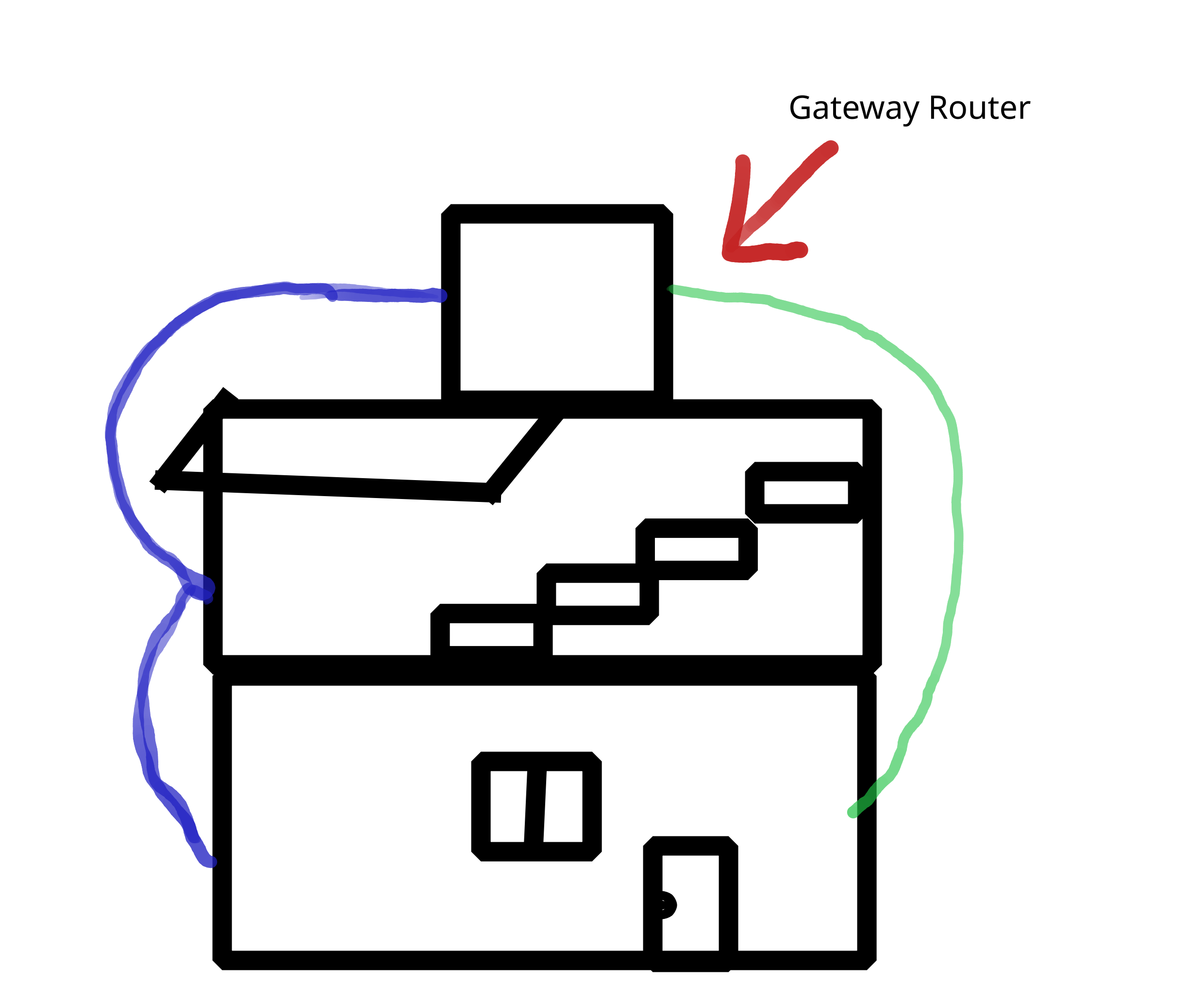 The diagram above shows my house with the cabling running from the
gateway in the store room on the top to the other floors. The left
side is a chain setup with access points connected in series.
The diagram above shows my house with the cabling running from the
gateway in the store room on the top to the other floors. The left
side is a chain setup with access points connected in series.Public IP Addition:
I do have a public IP for my connection and before you say you can try dynamic DNS options. The setup in the neighbourhood is a little different. With most setups there's a fiber connection that terminates at the consumer's home either with a FTTH router or fiber media converter with a balun. The particular case has a setup box on a terrace next door from which the ethernet cable runs to my gateway and the public IP is attached to the setup box. Once the ISP allocated my public IP I had a pppoe connection to the ISP which when connected assigns a public IP to my gateway.
A realistic alternative is a tunneling service like cloudflare tunnels which is a good option if I want to reduce costs slightly.
Some stuff I run on my home network:
I have an old desktop with 1.5TB of storage, which I have been using to run scripts and at one point used it as the gateway itself. I also host a VPN on it through which I access my scripts and data.
The Problem:
It is quite difficult to manage it remotely because you need proper visibility and health checks. Part of it is the firmware on the devices, I'm currently running stock or ISP provided firmware. My most recent goal is to move them to openwrt so I can accomplish 2 things: Better configuration control and visibility for devices. Single SSID for all my wifi access points.
The idea came from a recent incident where the internet stopped working and a person from the ISP came home. My sister instead of showing him the gateway showed him the access point which he fiddled with and reset. This put it back in router mode so there was a double NAT. This could've been prevented with a health check from the gateway which I cannot add because of stock firmware and ideally having the access points pick-up config from a TFTP server when reset. The latter is probably overkill but I find it funny when I think of the confusion it would cause one of those people when they reset the router but it comes back with the same configuration. Especially because they always pretend they know more than you.
The Journey:
The first device I decided to try openwrt on, was the Archer C5 router. It's one of my older routers(guinea pig), but after exhausting other options required me to set up a serial connection to it. This involved soldering UART pins to the board which proved difficult with my current soldering iron(no temp control). So, waiting on parts...